
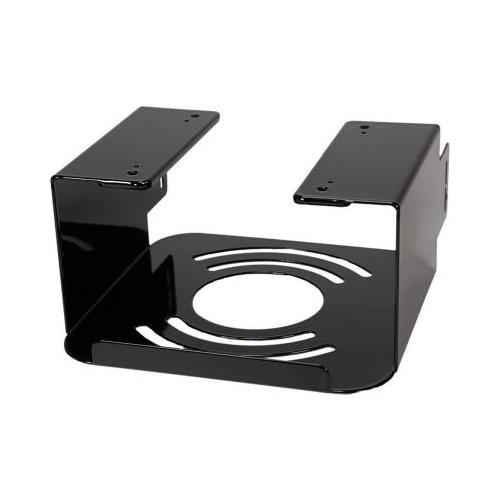
Extended panels on four sides a pry-resistant security ridge and steel locking bar envelope your Mac Studio without impeding its operation.<br /><br /><b>SAFELY SECURE YOUR MAC STUDIO</b><br />The included steel locking bar can be secured to the bracket in several ways depending on your needs.<br /><br /><b>• Simple Security - Standard Screw</b><br />A Phillips head screw is provided to hold the locking bar to the bracket keeping your Mac Studio protected from somebody simply walking up and taking it.<br /><b>• Better Security - Torx Screw</b><br />A Torx screw and screwdriver bit to fasten it are also included to secure the locking bar in place of the Phillips screw.
For under-desk or table-top mounting simply tape the included drill hole guide to the surface you’re attaching the bracket drill pilot holes and then secure MacCuff Studio using the four supplied wood screws. For wall mounting tape the drill hole template to the wall drill holes through the wall install the included drywall anchors in the holes as necessary and then secure the MacCuff Studio using the four supplied drywall screws.<br /><br /><b>HEAVY DUTY CONSTRUCTION</b><br />Like the Sonnet MacCuff mini 2 bracket for Mac mini? computers the MacCuff Studio is constructed of heavy-gauge steel to firmly hold your Mac Studio in place and yet delivers a light touch — its refined double powder-coated finish protects the computer.
Sonnet designed MacCuff Studio to secure your computer without blocking its air vents and allows you to connect cables without having to worry whether they will fit. The clips adhere to MacCuff Studio – or desk or wall if you need – hold cables securely and allow you to open and close them to move (or remove) cables as necessary. And they can be removed without damage to the surface they’re adhered to.</p><table class=features><thead><tr><th colspan=2>Features</th></tr></thead><tbody><tr><td class=feature>Type</td><td>Mac Mounting </td></tr></tbody></table>